
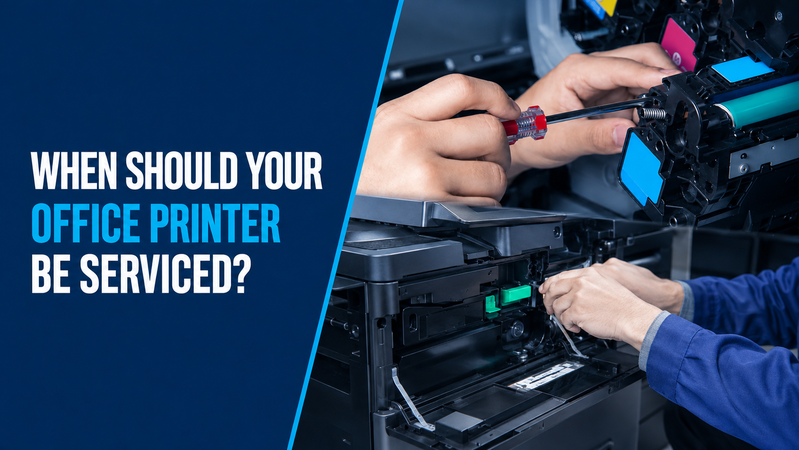
There is no single servicing interval that suits every office printer. The appropriate schedule depends on the model, printing volume, operating environment and manufacturer’s maintenance requirements.
A lightly used desktop printer and a shared device producing thousands of pages each month will have different needs.
Start with the instructions and maintenance messages for your printer. If faults keep returning or you are unsure what attention it needs, request a service call from Hunter Office Technology.
Follow the Printer’s Maintenance Guidance
Your printer may track page counts, consumable levels and the expected life of particular components.
Check its user guide and respond to maintenance messages rather than relying only on a calendar reminder.
Some tasks are intended for the user, while others require technical assistance. Follow the instructions for your exact model before cleaning, replacing components or resetting maintenance counters.
If your printer is covered by a service agreement, check the maintenance arrangements already in place.
What Affects Servicing Requirements?
Print Volume
The number of pages produced influences wear and consumable use.
Review your normal monthly usage and any periods of heavier demand. A shared printer handling frequent jobs may need a different maintenance plan from a device used occasionally.
Operating Environment
Paper dust, nearby workshop activity and unsuitable storage conditions can contribute to problems.
Keep the printer in a location that meets the manufacturer’s environmental requirements, with the recommended clearance around it.
Paper and Media
Use supported paper sizes, types and weights. Store supplies appropriately and avoid loading damaged or badly curled sheets.
A recurring feeding issue may involve the paper or tray settings, so check these before assuming an internal component has failed.
Importance to the Business
If the printer is essential for daily paperwork, discuss a planned approach to maintenance and support.
Consider how your team would continue working if the device became unavailable and whether another printer could handle urgent jobs.
Signs Your Printer Needs Attention
Arrange advice or an assessment if you notice:
- Repeated paper jams.
- Multiple sheets feeding together.
- Persistent lines, marks or faded output.
- Toner that does not bond properly to the page.
- Unusual noises.
- Recurring error messages.
- Poor scanning or copying results.
- Visible ink or toner leakage.
- Maintenance or component-replacement warnings.
These symptoms can have different causes. Replacing ink or toner without identifying the issue may not solve it.
Keep a sample of affected output and record the exact error message to help explain the problem.
What Can a Printer Service Include?
The work depends on the device and the issue being assessed.
A technician may inspect paper handling, review error information, check relevant components and test printing, scanning or copying.
The assessment can help identify whether the next step is maintenance, replacement supplies, a repair or a configuration change.
Ask what is included in the proposed work and whether parts or additional repairs require a separate quote.
Learn more about our printer warranty and repair services.
Looking After Your Printer Between Services
Routine care should follow the manufacturer’s instructions.
Useful habits include:
- Loading paper correctly and setting guides to the appropriate size.
- Keeping supplies in suitable storage conditions.
- Using supported media.
- Keeping access to the printer clear.
- Responding to warnings promptly.
- Following the specified cleaning and replacement procedures.
Avoid improvised internal cleaning methods. If toner or ink has leaked, seek model-specific guidance before attempting to remove it.
For recurring problems, keep a record of when the issue appears and what temporarily resolves it.
When Do You Need Supplies Instead of a Service?
Some printer messages identify a replacement consumable, such as toner, a drum or a maintenance box.
Check the exact message and product code before ordering. These components perform different jobs and are not interchangeable.
If you know the required item, shop printer ink, toner and consumables through Hunter Office Technology.
For help distinguishing between components, read our printer drum vs toner guide.
Customers with managed print agreements should confirm their supply process before ordering separately.
Service, Repair or Replace?
If a printer still meets your requirements, appropriate maintenance or repair may help keep it in use.
Replacement may be worth comparing when faults recur, parts are unavailable or the device no longer handles your workload.
Consider repair costs alongside ongoing supplies, support requirements and the disruption caused by unreliable equipment.
Read our guide to repairing or replacing an office printer for the main considerations.
If replacement is appropriate, browse printers and scanners in our online shop.
Consider Planned Print Support
For businesses managing several printers or relying heavily on shared equipment, a wider print review may be useful.
This can consider device suitability, consumable supply, maintenance and support together. The proposed arrangement should explain what is included and how service requests are handled.
Explore Managed Print Services at Hunter Office Technology.
Arrange Printer Support
Hunter Office Technology provides servicing and repair support for business printers and multifunction devices, subject to model, parts and support availability.
Submit a service request with your printer model, location and a description of the issue.
For general advice or help identifying replacement supplies, contact our team.