
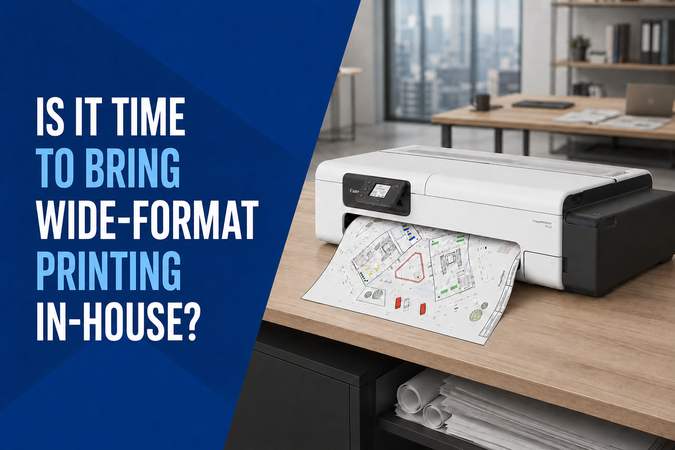
If your business regularly orders plans, drawings or posters from an external printer, it may be worth comparing that arrangement with printing in-house.
Having suitable equipment on site can make it easier to produce revised drawings, additional copies and urgent documents. However, the decision should account for your workload, equipment costs, supplies and available space.
Browse wide-format printers at Hunter Office Technology to explore the options.
When Does In-House Printing Make Sense?
Start by reviewing how often you order larger-format documents and what happens between preparing a file and receiving the finished print.
Consider:
- How many prints you order each month.
- The paper sizes and types you use.
- Delivery or collection costs.
- Time spent arranging orders.
- Charges for urgent jobs.
- How frequently drawings need revision.
- Whether delays affect other work.
Outsourcing may remain practical for occasional or specialist jobs. In-house equipment becomes worth assessing when regular demand or turnaround time makes access to a printer valuable.
Choose Equipment for the Documents You Produce
Wide-format printers are designed for different applications. A model suited to technical drawings may not meet the requirements of photographic work, outdoor signage or specialist media.
Identify the documents you need to produce before comparing machines.
For plans and drawings, consider line detail, paper size and scale. For posters, check colour output and supported media. If documents will be displayed outdoors, confirm the suitability of the entire print and media system.
Avoid assuming that any printer described as “wide format” can handle every large-format job.
A1 or A0?
A1 measures 594 × 841 mm. A0 measures 841 × 1189 mm.
The required document size helps determine the printer width you need. Also check printable margins, supported roll widths and how the printer handles the intended paper.
If drawings must retain their original scale, confirm the file size and print settings. A “fit to page” setting can change the scale even when the printer accepts the paper.
Businesses producing only A1 documents may not need the additional size of an A0-capable device. Those regularly handling A0 drawings should compare suitable wider models.
Print-Only or Multifunction?
A print-only device may be sufficient when your documents arrive as digital files and you simply need paper copies.
An integrated scanner is worth considering when you also need to digitise, copy or share paper originals.
Check the scanner’s supported width and document requirements separately from the printer’s output size. The word “multifunction” alone does not confirm that every scanning task is supported.
Three Models to Compare
Canon imagePROGRAF TC-21 with Stand
The Canon TC-21 24-inch wide-format printer with stand is an A1 option for technical drawings and in-house posters.
It is worth comparing when your main requirement is printing from digital files.
Check the listed package inclusions, supported media and available space before selecting your setup.
Epson SureColor SC-T3160M
The Epson SureColor SC-T3160M 24-inch multifunction printer includes an integrated scanner.
It is an option to assess when your work involves both digital files and paper originals. Consider your scanning requirements alongside print output, placement and supplies.
Epson SureColor SC-T5160M
The Epson SureColor SC-T5160M 36-inch multifunction printer provides a wider-format option with integrated scanning and copying.
It is worth comparing when larger documents form part of your regular workload.
For either Epson model, confirm the selected package and accessories. Different listings may include different supplies, stands or service options.
Compare the Full Cost
Review your external printing expenditure over a representative period, including repeat orders and collection or delivery.
Then compare it with the expected cost of owning and operating suitable equipment:
- Printer and required accessories.
- Freight and installation.
- Ink and media.
- Maintenance and servicing.
- Staff time preparing and handling prints.
- Space for equipment, paper and finished documents.
Use your own print volumes rather than assuming the equipment will pay for itself within a particular period.
A mixed approach may also work: produce routine documents in-house and continue outsourcing specialist or unusually large jobs.
Plan the Workspace
Measure the proposed location before ordering.
Allow room for loading paper, collecting output, accessing covers and servicing the machine. Check delivery access, including doors, stairs and the route to its final position.
Decide where paper rolls and finished prints will be stored so they remain organised and protected.
Also confirm the network connection and software compatibility with the computers that will send print jobs.
Check Ink and Media Requirements
Ink types, cartridge codes and supported media vary between models.
Before purchasing supplies, confirm compatibility with the exact printer and the work you intend to produce. Paper suitable for one application may not deliver the required result for another.
Browse printer consumables or contact our team for help identifying the appropriate ink and media.
How to Request a Wide-Format Printer Quote
The featured Canon TC-21, Epson SC-T3160M and Epson SC-T5160M listings require a freight quote.
Open the product page, choose the quantity and select Add to Quote Cart. Submit the quote request so our team can confirm delivery pricing and provide a payment link.
If you need help selecting the equipment first, let us know:
- Your required print and scan sizes.
- Approximate monthly usage.
- The documents and media you use.
- Whether scanning and copying are needed.
- Your delivery location and access requirements.
Explore Wide-Format Printing with Hunter Office Technology
Bringing printing in-house can provide more control over routine documents and revisions, but the equipment needs to match your workload.
Shop wide-format printers at Hunter Office Technology to compare the range.
For advice on a suitable model, package or delivery arrangement, contact our team.