
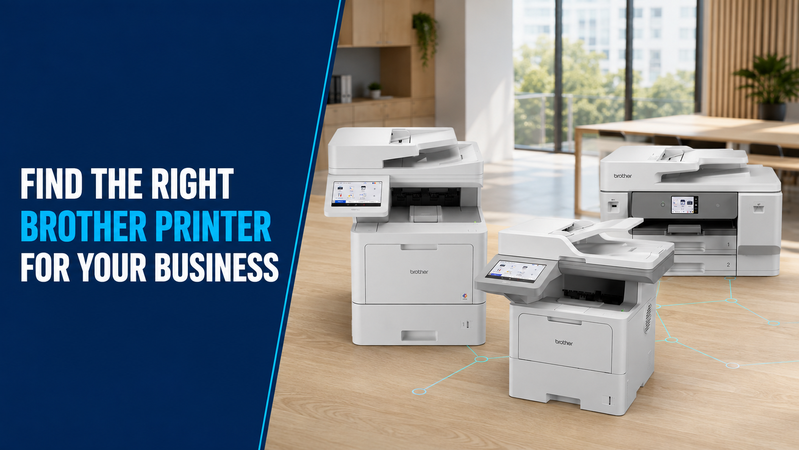
Brother’s printer range covers different requirements, from everyday black-and-white documents to A3 colour printing and shared office scanning.
The easiest way to narrow the options is to start with your workload. How much do you print? Do you need colour? Is scanning important? Will the printer serve one person or a whole team?
This guide helps you identify suitable starting points, with links to products in the Hunter Office Technology shop and enquiry options for MPS-exclusive equipment.
1. How Much Do You Print?
Estimate your typical monthly page volume and any busy periods.
Your printer’s usage report can help. If that is unavailable, paper purchases can provide a rough indication, although double-sided printing and unused stock will affect the estimate.
As usage increases, pay closer attention to:
- Recommended monthly print volume.
- Paper capacity.
- Ink or toner yield.
- Maintenance requirements.
- The number of people sharing the device.
- Support arrangements.
There is no single page-volume threshold that makes every printer suitable or unsuitable. Compare the requirements of your workplace with the specifications of each model.
2. Do You Need Colour?
Black-and-white output may be sufficient for invoices, forms, correspondence and internal documents.
Colour can be useful for presentations, charts, educational resources and customer-facing material.
Look at what you actually produce. If colour is only needed occasionally, compare the ongoing cost of owning a colour device with how you currently handle those jobs.
Browse mono laser printers or compare colour laser printers.
3. Do You Need Scanning and Copying?
A print-only device may suit a workstation where scanning and copying happen elsewhere.
A multifunction printer brings several tasks together. This can be useful for teams handling both printed documents and incoming paperwork.
Check the scanning details carefully. An automatic document feeder lets you load multiple suitable pages, but it does not necessarily scan both sides automatically.
If double-sided scanning is part of your daily work, make that a requirement when comparing models.
4. Do You Need A3?
A4 suits most standard correspondence, invoices and forms.
A3 can be useful for larger spreadsheets, diagrams, presentations and other documents that need additional space.
Confirm whether you need A3 printing only or A3 scanning and copying as well. These capabilities can differ between models.
The Brother MFC-J6975DW is an option to compare for A3 colour multifunction work, including automatic double-sided printing and scanning.
5. Will Several People Share the Printer?
For shared equipment, consider network access, paper handling and how staff will use the device throughout the day.
Check:
- Wired or wireless connection requirements.
- Compatibility with your computers and applications.
- Paper capacity and tray options.
- Scanning destinations.
- Any required user authentication or secure print features.
- Where the printer will be positioned.
Features vary by model and configuration. Include your requirements when requesting advice or a quote.
Brother Models to Start Comparing
Black-and-White Printing: Brother HL-L2445DW
The Brother HL-L2445DW is an A4 mono laser printer with Wi-Fi and automatic double-sided printing.
It is a print-only model, so consider it when you need document output without a built-in scanner or copier.
View the Brother HL-L2445DW in our shop.
Colour Multifunction Printing: Brother MFC-L3755CDW
The Brother MFC-L3755CDW combines A4 colour printing with scanning and copying.
It includes automatic double-sided printing and an automatic document feeder. Automatic duplex scanning is not included, so check whether that suits your paperwork.
View the Brother MFC-L3755CDW in our shop.
A3 Colour Multifunction Printing: Brother MFC-J6975DW
The Brother MFC-J6975DW provides A3 printing, scanning, copying and faxing.
Automatic double-sided A3 printing and scanning, together with multiple paper trays, make it worth comparing for mixed A4 and A3 work.
View the Brother MFC-J6975DW in our shop.
What About Mobile Printing?
If staff need to print at customer sites or while travelling, describe that requirement before choosing a standard office printer.
For portable equipment, check power options, supported paper, connection methods and compatibility with the phone, tablet or computer being used.
Battery packs, chargers and mounting accessories may vary between packages.
Contact Hunter Office Technology to discuss Brother portable printing options for your work.
When Should You Consider Brother MPS-Exclusive Models?
A workplace with heavier shared use or more demanding support requirements may benefit from reviewing its complete print setup.
Brother MPS-exclusive models are available through consultation with Hunter Office Technology rather than direct online purchase.
Examples to discuss include:
- Brother HL-L6415DW: a mono print-only business model.
- Brother MFC-L9670CDN: a colour multifunction business model.
The appropriate recommendation depends on your documents, usage, required features and support needs.
Learn about Brother Managed Print Services or explore our Brother business printer information.
Compare Running Costs Before Deciding
Look beyond the equipment price.
Check replacement ink or toner pricing, rated yields and any separate drums or maintenance components. Also consider setup, servicing and the time staff spend dealing with recurring interruptions.
Actual supply yields depend on what you print. Use your typical workload when comparing options rather than assuming every page costs the same.
Browse printer consumables for retail supplies. For MPS-exclusive consumables or existing service agreements, contact our team to confirm the appropriate ordering process.
Find the Right Brother Printer at Hunter Office Technology
Start with your monthly usage, colour needs, scanning requirements and paper sizes. Those details will help narrow the range to equipment that fits your work.
Shop printers and scanners online to compare available retail models.
For product advice, business configurations or MPS-exclusive equipment, contact Hunter Office Technology with your requirements.