
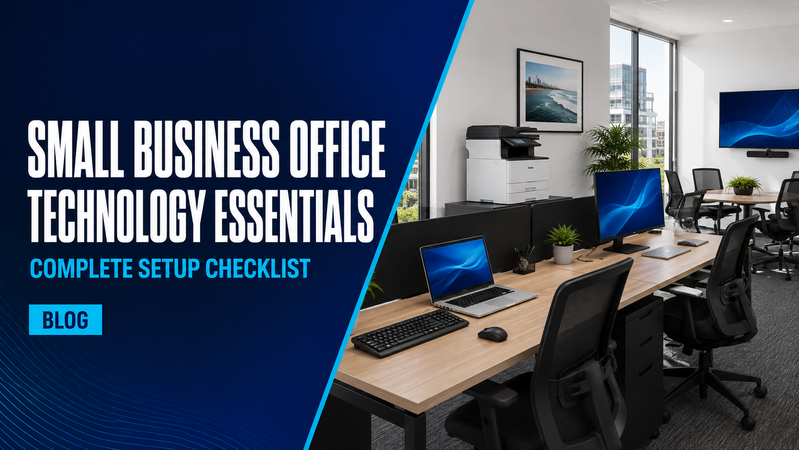
Setting up a small business office involves more than buying computers and connecting to the internet. Your equipment needs to work together, suit your team and support the tasks your business handles every day.
Planning the complete setup helps avoid missing accessories, incompatible equipment and purchases you do not need. Here are the main areas to consider, with links to relevant equipment in the Hunter Office Technology shop.
1. Employee workstations
Start with the work each employee performs. Someone using email, accounting software and business documents may need a different computer from someone working with design applications or detailed plans.
Laptops suit employees who move between meetings, home and the office. Desktop computers may suit permanent workstations where portability is unnecessary.
A complete workstation may include:
- A suitable computer.
- One or two external monitors.
- A compatible docking station.
- A keyboard and mouse.
- A headset and webcam.
- The necessary chargers, cables and adaptors.
Explore our laptops, computer monitors and keyboards and mice to start building your workstation package.
For laptop-based desks, compare docking stations and confirm compatibility with the laptop, monitors and charging requirements before ordering.
2. Shared printing and scanning
A shared multifunction printer can handle printing, copying and scanning for several employees. Choosing the right model means looking beyond its purchase price.
Consider:
- Expected monthly print volume.
- Mono or colour printing.
- A4 or A3 documents.
- Automatic double-sided printing.
- Document feeder capacity and double-sided scanning.
- Network connectivity.
- Replacement ink or toner costs.
- Servicing and support requirements.
Double-sided printing does not automatically mean a printer can scan both sides of a document. Check these features separately.
Browse printers and scanners to compare equipment for your office. Businesses processing larger batches of paperwork may also benefit from a dedicated document scanner.
If you need an ongoing print arrangement, contact Hunter Office Technology to discuss managed print options suited to your workload.
3. Internet and office networking
Plan your network around the office layout and the number of connected devices. Computers, printers, phones and meeting-room equipment may all need reliable connections at the same time.
Discuss the following with your IT provider:
- Wi-Fi coverage throughout the premises.
- Wired connections for fixed equipment.
- Router, switch and access-point requirements.
- Separate access for guests.
- Capacity for additional employees.
- Whether backup internet is needed.
Confirm the equipment specification before purchasing. A larger office or a building with several separate rooms may need a different arrangement from a small open workspace.
Explore networking products, including routers, switches, wireless access points and mesh systems.
4. Calls and everyday communication
Choose communication equipment around the way employees speak with customers and colleagues.
Staff who spend much of their day on calls may need a dedicated headset. Others may need equipment that works with both their computer and phone.
Check the connection type, microphone, controls and compatibility with your calling platform. Plan phone services and call-handling requirements with your communications provider before choosing associated hardware.
Browse headsets for individual workstations.
5. Meeting and presentation equipment
Even a small office may need a shared space for customer presentations, team discussions or video meetings.
Depending on the room, this could include:
- A display large enough for everyone to read.
- A camera positioned to capture the participants.
- Microphones and speakers suited to the space.
- A straightforward way to connect a laptop.
- Accessible power and charging connections.
Think about the people joining remotely as well as those in the room. A clear display is useful, but participants also need to hear and be heard.
Explore our conferencing equipment and commercial displays when planning your meeting space.
6. Everyday office machines
Consider the smaller jobs your business handles regularly.
A shredder may be useful for disposing of paperwork, while a laminator or binding machine can help prepare frequently used documents and presentation materials.
Choose equipment around the volume of work and the materials you expect to use. For example, compare a shredder’s sheet capacity, run time and cut type before deciding which model suits your office.
Shop office machines, including shredders, laminators, binding machines and calculators.
7. Power and backup equipment
Count the devices that need power at each workstation and in shared areas. Include monitors, docks, chargers, network equipment and meeting-room devices.
For equipment that needs temporary battery support during an outage, discuss a suitable uninterruptible power supply, or UPS, with your IT provider. The appropriate capacity and runtime depend on what will be connected.
Browse power equipment for UPS systems, power accessories and surge protection.
8. Software, accounts and IT preparation
Hardware is only part of the setup. Arrange your software, user accounts and access permissions before the team starts using the office.
Your IT provider or internal IT team should coordinate email, shared files, software licences, security settings, backups and device updates.
Keep a record of the equipment purchased and who uses it. Where practical, use a consistent set of approved computers and accessories to simplify future additions and replacements.
Test the office before opening
Before the first working day, check that:
- Every workstation connects and charges correctly.
- Staff can access the applications and files they need.
- Wi-Fi and wired connections work in the intended locations.
- Printing and scanning have been tested.
- Calls and video meetings work with the selected equipment.
- All required cables and accessories are available.
Testing the complete setup gives you time to resolve problems before they interrupt business.
Put your small business office together
Hunter Office Technology can help you select equipment for individual workstations, shared printing and meeting spaces.
Browse the Hunter Office Technology shop or contact our team to discuss your equipment requirements.
For furniture, workspace planning and a broader office fit-out, Hunter Office Furniture can help bring the rest of your workplace together.