
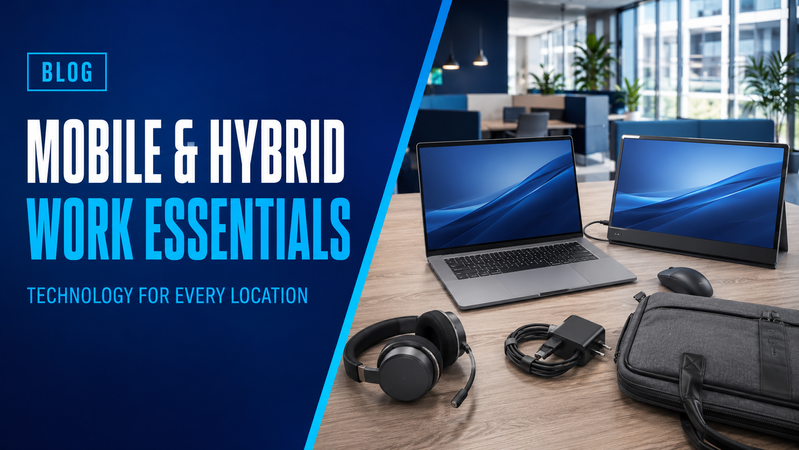
Working between home, the office and customer locations is easier when your equipment travels well and connects without fuss.
The aim is to create a setup that suits your working day: a capable laptop, useful accessories for travelling and a comfortable workstation at your regular desk.
Here are the main technology essentials to consider for mobile and hybrid work.
Start with the right laptop
Your laptop needs to handle your everyday applications while remaining practical to carry.
Consider the combined weight of the laptop, charger and accessories—not just the computer itself. A larger screen gives you more workspace, while a smaller laptop may be easier to use when travelling.
Before choosing, check:
- Performance requirements for your business applications.
- Screen size, weight and battery specifications.
- Available USB, display and network connections.
- Charging and docking compatibility.
- Webcam and microphone features.
- Your organisation’s operating system and security requirements.
Browse laptops in the Hunter Office Technology shop or contact us for help matching a computer to your role.
Make connecting at each desk straightforward
A docking station can keep monitors, a keyboard, mouse and other accessories connected at your desk. With a compatible setup, you can connect your laptop through one cable when you arrive.
If you regularly work at two locations, a dock at each desk may reduce the equipment you need to carry.
Check that the dock supports your laptop, operating system, required screens and charging needs. Not every USB-C connection provides the same video, data or power capabilities.
Shop notebook docking stations and explore additional options in our laptop accessories range.
Choose a screen for your working location
An external monitor can make a regular home or office desk more practical, particularly when working with spreadsheets, documents and several applications.
Compare screen size, resolution, adjustment options and connections against the space available and the equipment you already use.
Browse computer monitors for your permanent workstation.
If you frequently need a second screen away from your desk, consider a portable display such as the LG 16-inch +view Portable Monitor. Check the display’s USB-C video and power requirements against your laptop before purchasing.
Pack suitable equipment for calls
A headset is useful when taking calls from shared offices or temporary workspaces. Choose one that connects to the devices you use and works with your organisation’s calling software.
Consider microphone quality, comfort, connection type and how easily the headset fits into your bag. Wired models avoid battery charging, while wireless options may suit people who need to move during calls.
Browse headsets to compare options.
Your laptop’s built-in camera may be sufficient for travelling. At a regular desk, an external webcam can provide more flexible positioning, especially when the laptop is closed or placed beside a monitor.
Add a keyboard and mouse where they help
A separate keyboard and mouse let you position your screen independently and can make longer sessions at a desk more comfortable.
For travel, consider compact accessories that fit easily into your bag. For your main workstation, a full-size keyboard may be more useful, particularly if you regularly enter numbers.
Check whether wireless accessories use Bluetooth or a USB receiver, and whether your computer has the necessary connection available.
Plan chargers, bags and adaptors
A compatible charger kept at each regular workplace can reduce daily packing and the chance of arriving without one.
Before buying an additional charger, confirm its connector, output and compatibility with your laptop. Where USB-C charging is supported, check the required power delivery and cable specifications.
Choose a bag with enough protection and space for the laptop, charger and accessories. Compare the bag’s internal dimensions with the actual laptop dimensions.
Our laptop accessories range includes chargers, bags and backpacks.
A small selection of adaptors can also help when connecting to unfamiliar displays or wired networks. Carry the connections you are likely to need, rather than filling your bag with unnecessary extras.
Arrange connectivity before travelling
Think about how you will connect at each location. Customer Wi-Fi may require guest access, and a temporary workspace may not offer the connections you expect.
For employees who need a separate mobile connection, browse 4G and mobile hotspot equipment. Check carrier compatibility, coverage, SIM requirements and data-plan costs before choosing a device.
Ask your IT provider or internal IT team to arrange the approved access, authentication and file-storage setup for working away from the office.
Mobile and hybrid worker checklist
Before heading out, confirm you have:
- Your laptop and a compatible charger.
- The headset or other call equipment you need.
- Any required mouse, keyboard or portable monitor.
- Suitable display and network adaptors.
- A protective bag with space for your accessories.
- An appropriate internet connection for the location.
- Access to the applications and files needed for the day.
Test the complete setup before relying on it for an important meeting or customer visit.
Build a compatible mobile workspace
Hunter Office Technology can help you select laptops, monitors, docks and accessories that suit the way you work.
Explore the Hunter Office Technology shop or contact our team for help putting together equipment for your mobile and hybrid workforce.