
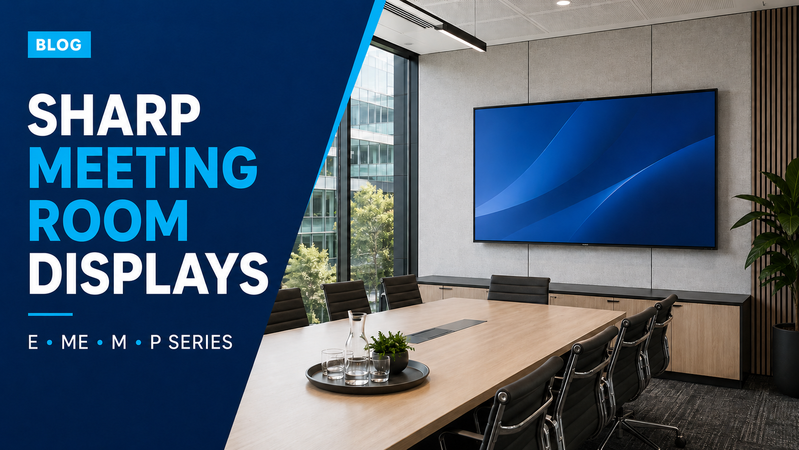
The right meeting-room display makes presentations easier to read, laptops easier to connect and meetings easier to run. Choosing one starts with your room: how many people use it, how far they sit from the screen and what they need to share.
Sharp’s E, ME, M and P Series offer different combinations of brightness, connectivity and operating hours. Here’s how to narrow down your options.
Browse commercial displays in the Hunter Office Technology shop.
Start with how the room will be used
Before choosing a screen, consider:
- Content: Spreadsheets and detailed documents need to be readable from the back of the room.
- Lighting: Windows and overhead lights can create reflections.
- Connections: Check which ports your team’s laptops use and how visitors will connect.
- Operating hours: A screen used for occasional meetings has different requirements from an all-day information display.
- Collaboration: Presenting slides and writing directly on a screen require different equipment.
Screen size matters, but it should be considered alongside these practical needs.
Sharp E Series: straightforward everyday presentations
The E Series is a starting point for businesses that need a commercial display for presentations, training and everyday information sharing.
For example, the Sharp Essential 65-inch display provides 4K resolution, 350-nit brightness, integrated speakers and HDMI and USB-C video connections. This model is rated for operation up to 16 hours a day, seven days a week.
Its built-in USB media player also allows compatible images and videos to be displayed without a connected computer.
Consider it for: Everyday meeting rooms, staff training and straightforward signage where advanced integration is not a priority.
Sharp ME Series: meeting rooms and scheduled signage
The ME Series adds features useful when a screen serves more than one purpose.
The Sharp ME Series 65-inch display offers 4K resolution, 450-nit brightness, USB-C connectivity and an integrated Android 13 system. Its media player supports playlists and scheduled playback from USB or onboard storage, and the display is rated for 18/7 operation.
That makes it worth considering for spaces where a screen shows presentations during meetings and business information at other times.
Consider it for: Multipurpose meeting rooms, reception areas and shared spaces that combine presentations with digital signage.
Sharp M Series: brighter rooms and more demanding setups
The M Series is a step up for organisations needing higher brightness, longer operating hours and more connection options.
The Sharp M Series 65-inch display offers 550-nit brightness, a high-haze panel to reduce reflections and a 24/7 operating rating.
It also provides HDMI, DisplayPort and USB-C connections. Its USB-C input supports video, data and up to 65W of power delivery, allowing a compatible laptop to connect and receive power through one suitable cable. Check your laptop’s charging requirements before relying on this arrangement.
Consider it for: Busy meeting rooms, brighter office environments and installations requiring greater control and connectivity.
Sharp P Series: higher brightness and continuous operation
The P Series suits applications where display performance and continuous operation are particularly important.
The Sharp P Series 65-inch display offers 700-nit brightness, a high-haze panel, 24/7 operation and advanced colour adjustment through its SpectraView Engine.
It is an option for demanding presentation spaces and information displays where the additional brightness and control are useful. Check the product page or contact us for current availability.
Consider it for: Bright presentation rooms, operational information displays and installations requiring more precise image adjustment.
Do you need a touchscreen?
The commercial displays discussed above are designed for displaying content. If your team wants to write on the screen, annotate documents or run interactive workshops, look at an interactive panel.
Browse interactive panels in our shop to compare options for collaborative meeting rooms and training spaces.
Plan the whole meeting-room setup
A display is only one part of the room. Video meetings also need a suitable camera, microphone and speaker arrangement so remote participants can see and hear everyone clearly.
Explore our conferencing equipment and plan the mounting position, cable routes and laptop connections before installation.
Furniture and layout matter too. Table depth, seating positions and viewing distance affect how comfortably people can use the screen. For a complete room project, Hunter Office Technology can help with the technology, alongside Hunter Office Furniture and Modfurn Interiors for furniture, layout and fit-out requirements.
Find the right Sharp display for your business
Start with our commercial display range to compare sizes, specifications and current pricing. Features vary between models, so check the individual listing before ordering.
Where a display shows Add to Quote Cart, submit a quote request so we can confirm delivery pricing and provide a payment link.
For help choosing a display for your Newcastle, Lake Macquarie or Hunter business, contact Hunter Office Technology. Tell us about your room, typical meeting size and the equipment you already use, and we can help narrow down the options.