
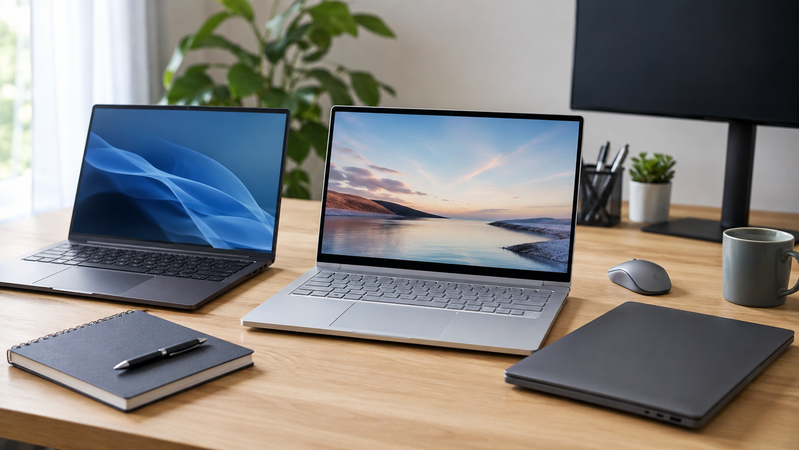
Choosing a laptop starts with the work you need it to do. Email, study, spreadsheets, video meetings and design software place different demands on a computer.
Screen size, portability, memory, storage and connections all matter. The right choice balances those requirements with your budget and the accessories you already use.
Browse laptops at Hunter Office Technology or use this guide to narrow down what you need before purchasing.
Start with Your Everyday Tasks
Make a list of the applications and tasks your laptop must support.
Consider whether you mainly use:
- Email, documents and web browsing.
- Accounting software and business systems.
- Large spreadsheets.
- Online classes and research tools.
- Video meetings and remote access.
- Photo editing, design or other specialist software.
Check the software publisher’s recommended requirements, particularly for demanding applications. A laptop that meets the minimum requirements may offer less room for multitasking or future needs.
Choosing a Business Laptop
A business laptop should fit both the individual user and the organisation’s systems.
Alongside performance, consider the operating-system edition, network requirements, available ports, warranty and compatibility with existing equipment.
For someone moving between meetings and office desks, size and weight may be priorities. For a user working mainly at a desk, support for external monitors and a suitable docking station may matter more.
Our laptop range includes HP EliteBook models. Compare the exact specifications of each configuration rather than relying on the range name alone.
If you are purchasing for several staff, contact our team with your requirements.
Choosing a Laptop for Study
Before buying for school, TAFE or university, check the institution’s device requirements.
Some courses require a particular operating system or specialist software. Others may specify screen size, battery expectations or hardware requirements.
Consider:
- Weight when carried with books and other equipment.
- Screen size for reading and assignments.
- Keyboard comfort.
- Storage for coursework.
- Connections for classroom equipment.
- Compatibility with required applications.
A general study laptop and a device for engineering, design or video production may need very different specifications.
Choosing a Laptop for Home Use
For household administration, browsing, email and video calls, focus on a laptop that suits how and where you use it.
A larger screen may be useful if the computer usually stays at home. A smaller device may be easier to carry between rooms or take away.
Also consider the keyboard, webcam, speakers and connections for your printer or other accessories. These everyday details can matter as much as processor specifications.
There is little benefit in paying for capabilities you will not use, but leave enough capacity for your normal applications to run together comfortably.
Understanding the Main Specifications
Processor
The processor helps determine how well the laptop handles applications and demanding tasks.
Compare the exact processor model and the requirements of your software. A familiar processor family name alone does not tell you its age or performance.
Memory
Memory, or RAM, holds information that applications are actively using.
Your needs depend on how many programs you run together and how demanding they are. Check recommended software requirements and whether the laptop’s memory can be upgraded later.
Storage
Storage holds your operating system, applications and files.
Consider your current usage and allow room for future documents and updates. Photos, video and design files can require substantially more space than ordinary office documents.
Check both capacity and storage type when comparing models. Keep a separate backup plan regardless of how much storage you choose.
Screen
Screen size affects portability and available workspace. Resolution, brightness and the screen’s finish also influence how it looks in your usual working environment.
If you spend most of the day at a desk, an external monitor may provide the workspace you need while allowing you to choose a more portable laptop.
Battery and Charging
Compare battery information carefully, as results depend on the applications, screen settings and conditions used during testing.
Think about how long you need to work away from power and whether carrying the charger is practical.
Check the Connections Before You Buy
List the equipment you plan to connect, including monitors, keyboards, mice, printers and storage devices.
Check whether the laptop has the required ports or needs an adapter or dock.
USB-C ports can support different features. The connector’s shape alone does not confirm support for charging, external displays or a particular docking station.
For a desk setup, browse laptop and notebook docking stations and confirm compatibility with the exact laptop model.
Build a Practical Home-Office Setup
A laptop can provide portability while also working as the centre of a desk setup.
Useful additions include:
- An external monitor for more screen space.
- A keyboard and mouse that can be positioned separately from the screen.
- A compatible docking station for connecting desk equipment.
- A laptop bag or suitable spare charger for moving between locations.
- Storage devices for appropriate file-transfer and backup tasks.
Check compatibility before purchasing accessories. Chargers must suit the laptop’s power requirements, and bags should fit its physical dimensions.
What About Gaming or Creative Work?
Gaming, 3D modelling, video editing and other demanding tasks require closer attention to processor, graphics, memory and cooling specifications.
A laptop selected for general office work may not meet those needs. Check the requirements of the particular games or applications you intend to use.
If you need specialist performance, contact Hunter Office Technology to discuss your requirements and available sourcing options.
Plan Setup and Data Transfer
Before replacing your existing computer, decide how files, applications and accounts will move to the new device.
Confirm that important data is backed up and that you have access to the necessary software licences and account details.
For technical assistance with setup, migration or computer troubleshooting, visit our IT support referral information.
Find Your Next Laptop at Hunter Office Technology
Start with your applications, preferred screen size, portability needs and budget. Then compare the exact specifications and connections of the models available.
Shop laptops at Hunter Office Technology or browse computers and accessories to complete your setup.
For help comparing products or discussing a business purchase, contact our team.