
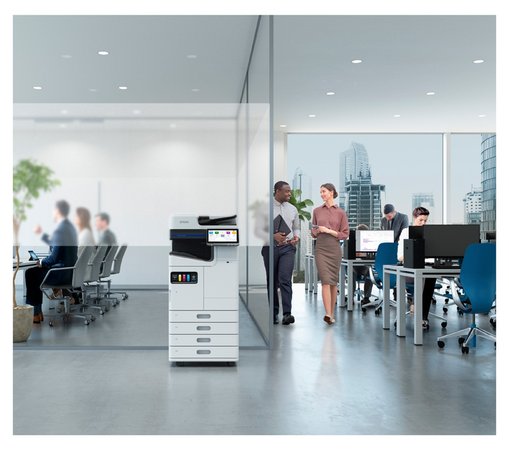
Choosing a business printer starts with understanding how your team works. Paper sizes, colour requirements, scanning tasks and monthly print volumes all influence which device will suit your workplace.
Hunter Office Technology supplies Epson business print solutions for organisations across Newcastle, Lake Macquarie, the Hunter and the Central Coast.
From A4 document printers to A3 multifunction devices, our Epson business range provides options for different office requirements.
Explore our Epson business printers or contact our team for a tailored recommendation.
What Should You Look for in a Business Printer?
Before comparing models, consider the jobs your printer needs to handle.
Useful questions include:
- Do you print only A4 documents, or do you also need A3?
- How much colour printing does your team produce?
- Do you need scanning, copying and faxing?
- How often do you scan double-sided documents?
- How many people will share the device?
- Which paper types and sizes do you use?
- Do you need additional paper trays or finishing options?
These details help narrow the range and avoid paying for features you rarely use—or choosing a printer that cannot handle an important task.
Epson A4 Business Printers
An A4 business printer can suit offices that mainly produce invoices, correspondence, reports and forms.
The choice between a dedicated printer and a multifunction device depends on whether scanning and copying are required at the same workstation.
WorkForce Pro EP-C800
The Epson WorkForce Pro EP-C800 is a colour A4 print-only option.
It is worth considering where the main requirement is document output and scanning or copying is already handled elsewhere.
When comparing this model, review your expected print volume, paper-handling requirements and ongoing consumable costs.
Explore the WorkForce Pro EP-C800 in our Epson business range.
WorkForce Pro EM-C800
The Epson WorkForce Pro EM-C800 adds printing, copying, scanning and faxing in an A4 multifunction device.
A multifunction setup can be useful where staff need to handle both incoming paperwork and printed documents from one location.
Consider how often you scan, the types of originals you handle and where the resulting files need to be saved.
Explore the WorkForce Pro EM-C800 or ask our team about a suitable configuration.
Epson A3 Multifunction Printers
A3 capability may be useful for larger spreadsheets, diagrams, presentations and other documents that benefit from additional page space.
If your business needs A3, check both printing and scanning requirements. Also consider the space needed for the device, paper trays and any optional accessories.
WorkForce Pro EM-C8100
The Epson WorkForce Pro EM-C8100 provides A3 colour printing, copying, scanning and faxing.
It is an option to compare when your office needs larger-format documents alongside everyday A4 work.
Our team can help review paper capacity, scanning requirements and configuration options against your workload.
Learn more about the WorkForce Pro EM-C8100.
WorkForce Pro EM-C8101
The Epson WorkForce Pro EM-C8101 is another A3 multifunction option, with an emphasis on document handling and duplex scanning.
For teams regularly processing batches of paperwork, scanning capability can be just as important as print speed. Consider feeder capacity, double-sided originals and how documents will reach your filing system.
Explore the WorkForce Pro EM-C8101 and contact Hunter Office Technology to discuss your requirements.
WorkForce Enterprise AM-C Series
For larger teams and more demanding document workloads, the Epson WorkForce Enterprise AM-C range provides further business printing options.
The appropriate model and configuration depend on your print volume, paper sizes, scanning requirements and finishing needs. Optional accessories vary by model, so confirm the exact combination before ordering.
Rather than choosing on speed alone, review how the device will fit into your office’s daily document process.
View our Epson business printer overview to start comparing the range.
Compare Ongoing Costs Alongside Features
The purchase or finance cost is only one part of a printer’s overall cost.
When comparing solutions, consider:
- Replacement ink pricing and rated yields.
- Your mix of colour and black-and-white pages.
- Expected maintenance and servicing.
- Paper use and double-sided printing.
- Power consumption under comparable operating conditions.
- Any optional equipment your team needs.
Published consumable yields are measured under standard test conditions. Actual results depend on the documents you print and how the device is used.
A useful comparison looks at your typical workload and the full proposed configuration.
Epson Printers and Managed Print Services
An Epson business printer can also form part of a managed print arrangement.
This starts with reviewing your current equipment, print volumes and document requirements. From there, Hunter Office Technology can discuss suitable devices, consumable supply and support options.
The proposal should explain what is included and how ongoing costs are calculated.
Learn about our Epson business print solutions or explore Managed Print Services.
Looking for a Printer to Buy Online?
If you are comparing equipment for a home office or a straightforward workplace setup, you can also browse printers and scanners in the Hunter Office Technology shop.
For the Epson business models discussed in this article, contact our team to confirm availability, configuration and pricing.
Find the Right Epson Printer for Your Business
The right Epson solution depends on what your team prints, scans and copies each day.
Bring us your approximate monthly print volume, paper-size requirements and any features your current equipment is missing. We can help you compare the options and discuss a suitable setup.
Explore our Epson business printer range or contact Hunter Office Technology for a tailored quote.