
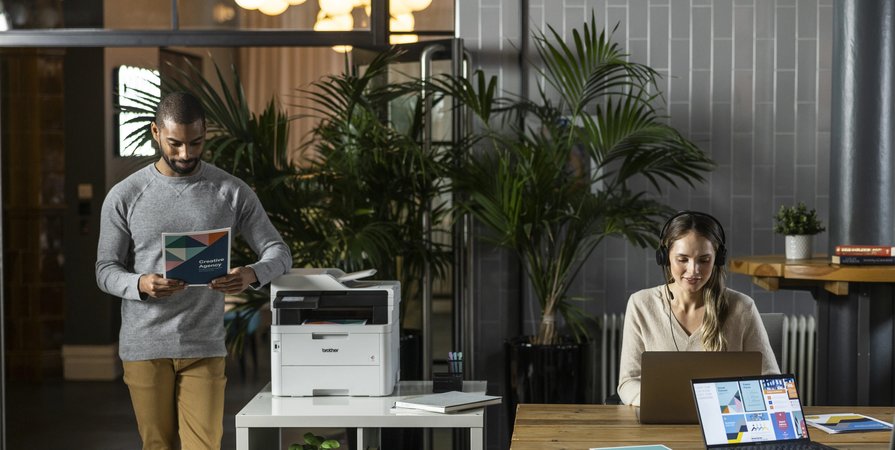
Choosing a printer for a home office or small business means balancing everyday features, running costs and available space.
The Brother MFC-L3755CDW is an A4 colour multifunction printer worth considering if you regularly print business documents and also need scanning and copying.
It combines colour printing, automatic double-sided printing, Wi-Fi connectivity and an automatic document feeder in one device.
You can view the Brother MFC-L3755CDW and buy online from Hunter Office Technology.
Key Features at a Glance
- A4 colour printing for everyday documents.
- Print speeds of up to 26 pages per minute.
- Automatic double-sided printing.
- Scanning and copying alongside printing.
- Automatic document feeder for loading multiple pages.
- Wi-Fi connectivity.
- Single-sided document scanning: automatic duplex scanning is not included.
The distinction between double-sided printing and double-sided scanning matters. This model can automatically print on both sides of a sheet, but its document feeder does not automatically scan both sides.
Who Might Find It Useful?
The MFC-L3755CDW is worth comparing for home offices, small businesses and individual workstations that need both black-and-white and colour documents.
Typical uses include:
- Quotes, invoices and customer correspondence.
- Reports and presentations.
- Forms and general administration.
- Training documents and reference material.
- Scanning and copying incoming paperwork.
For a consultant, bookkeeper, trades business or small administration team, having these functions together can simplify everyday document handling.
Before purchasing, consider your monthly print volume, how much colour you use and how often you need to scan documents.
Colour Printing for Business Documents
Colour can make charts, headings and other information easier to distinguish. If your documents regularly include these elements, a colour printer provides flexibility that a mono printer cannot.
However, colour capability is only worthwhile if it suits your work. If nearly everything you print is black text, compare mono options before deciding.
You can browse printers and scanners in the Hunter Office Technology shop to explore alternatives.
Automatic Double-Sided Printing
Automatic duplex printing lets the printer produce documents on both sides of the paper without requiring you to turn and reload each sheet manually.
This is useful for multi-page reports, internal documents and reference material. Where appropriate, selecting double-sided output can also reduce the amount of paper used.
Check the print settings in your applications so staff can easily choose between single-sided and double-sided jobs.
Scanning and Copying: Check Your Workflow
The automatic document feeder is useful when you need to scan or copy a stack of single-sided pages.
If you frequently handle double-sided originals, remember that the MFC-L3755CDW does not provide automatic duplex scanning. You will need to capture the reverse sides manually.
For occasional paperwork, that may be acceptable. For regular batches of double-sided forms or records, a printer with duplex scanning or a dedicated document scanner may be a better fit.
Choosing around the documents you actually handle will help avoid extra steps later.
Consider Toner and Ongoing Costs
The purchase price is only part of the cost of owning a printer. Before choosing a model, review replacement toner prices and any other consumables it requires.
Your running costs will depend on factors such as:
- How many pages you print.
- The proportion of colour and black-and-white jobs.
- How much text or imagery appears on each page.
- The toner cartridges you select.
- Replacement requirements for other consumable components.
When comparing cartridge yields, remember that published page yields are measured under standard test conditions. Your results will vary with the documents you print.
Browse printer ink, toner and consumables through Hunter Office Technology. Confirm that each item specifically lists compatibility with the MFC-L3755CDW before ordering.
If you are unsure which supplies to choose, contact our team for help.
What to Check Before Buying
Available Space
Check the printer’s dimensions and allow room to open trays, access the scanner and replace consumables. Consider where printed documents will be collected and how easily you can reach the device.
Computer Compatibility
Confirm compatibility with your computers, operating systems and business applications before purchasing.
Scanning Requirements
Consider whether single-sided scanning suits your paperwork or whether automatic duplex scanning would save your team time.
Printing Volume
Estimate your usual monthly workload and any busy periods. If several staff rely on the printer throughout the day, discuss your requirements with our team before selecting a model.
When to Consider a Different Printer
The MFC-L3755CDW will not suit every workplace.
A mono printer may be worth comparing if you only need black-and-white documents. A model with automatic duplex scanning may be more convenient if you regularly digitise double-sided paperwork.
For larger teams or more demanding print requirements, Brother Managed Print Services may be worth discussing. MPS-exclusive models are available by enquiry through our team.
If you are comparing retail colour models, browse our colour laser printer range.
Buy the Brother MFC-L3755CDW from Hunter Office Technology
The Brother MFC-L3755CDW brings A4 colour printing, scanning, copying and automatic double-sided printing together for everyday office use.
View the Brother MFC-L3755CDW in our online shop for current pricing and available purchase options.
For help comparing printers or choosing suitable supplies, contact Hunter Office Technology with your printing requirements.