
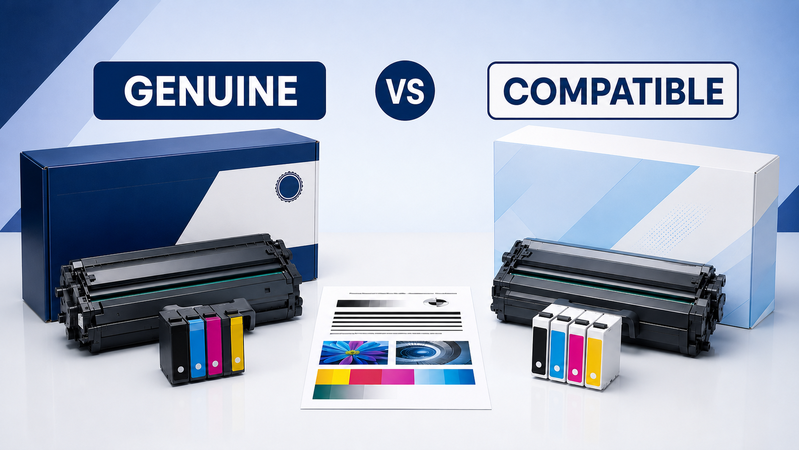
When shopping for replacement ink or toner, you may find genuine and compatible options listed for the same printer.
The difference starts with who supplies the cartridge. Genuine products carry the printer manufacturer’s brand, while compatible products come from another manufacturer.
Choosing between them involves more than comparing the purchase price. Compatibility, page yield, print requirements and supplier support all matter.
Browse printer ink, toner and consumables at Hunter Office Technology to explore the available options.
What Are Genuine Cartridges?
Genuine cartridges are supplied under the printer manufacturer’s brand. They may also be described as original or OEM supplies.
Examples include Brother toner, Epson ink, HP cartridges and Canon consumables intended for specified printer models.
A genuine cartridge still needs to match your exact printer. Buying the correct brand alone is not enough: product codes, colours and supported models can differ within the same range.
Genuine supplies are worth considering when you want to follow the printer manufacturer’s specified consumable system or maintain an established setup that already produces the results you need.
What Are Compatible Cartridges?
Compatible cartridges are third-party products designed for particular printer models.
Check the individual listing to understand what is being supplied. A newly manufactured compatible cartridge and a remanufactured cartridge are different products: remanufactured supplies reuse an original cartridge that has been processed for further use.
Do not assume that every third-party product has the same construction, yield or performance. Compare the specific cartridge, its stated compatibility and the support available from the supplier.
A compatible option may be worth assessing for everyday documents where its output meets your requirements and the overall cost is suitable.
Compare More Than the Price
A lower purchase price does not automatically mean a lower printing cost.
Check:
- The stated page yield.
- Whether you are comparing standard or high-yield versions.
- The colours and quantities included.
- Compatibility with your exact printer.
- Available product support.
- Whether the listing describes a genuine, compatible or remanufactured item.
For a basic comparison, divide the cartridge price by its rated yield.
For example, a $90 cartridge rated for 3,000 pages has an estimated cartridge-only cost of 3 cents per page. A $60 cartridge rated for 1,500 pages has an estimated cost of 4 cents per page.
These are illustrative figures. Actual results depend on what you print, and the calculation excludes paper, maintenance and other consumables.
Think About What You Print
Different jobs place different demands on a cartridge.
For internal forms and everyday text documents, you may mainly care about readability and consistent output. For photographs, graphics or customer-facing documents, colour reproduction and finish may matter more.
Paper choice, printer settings and device condition also affect the result. A print-quality problem is not automatically caused by the cartridge.
If you are considering changing supplies across several printers, assess a suitable product on one device first. Check the output and operation before making a larger purchase.
Confirm Compatibility Before Ordering
Use the printer’s full model number and the replacement supply code when checking a listing.
Similar model names can refer to printers that use different cartridges. A high-yield version may also have a different code from the standard cartridge.
Before purchasing, confirm:
- Your printer appears in the product’s compatibility information.
- The cartridge colour is correct.
- The capacity suits your intended use.
- Any stated chip or firmware requirements are appropriate.
- You are ordering toner rather than a separate drum or maintenance component.
If anything is unclear, contact Hunter Office Technology before placing the order.
Check Warranty and Service Arrangements
If warranty coverage or an existing service agreement is relevant to your decision, review the applicable terms before changing supplies.
For printers covered by a managed print arrangement, contact the provider to confirm which consumables should be used and how replacements are ordered.
Hunter Office Technology customers can contact our team for help checking their existing supply arrangements.
What If a Replacement Cartridge Does Not Work?
If the printer does not recognise a cartridge or the output is unsuitable, record the printer model, cartridge code and any displayed error message.
Keep the packaging and a sample of the affected output. Contact the supplier for guidance before attempting repeated troubleshooting or buying another cartridge.
Problems can have several causes, including incorrect installation, a mismatched product, device settings or a printer fault.
For persistent equipment issues, see our printer warranty and repair services.
Which Should You Choose?
Start with compatibility, then compare the product against your printing requirements and budget.
A genuine cartridge may suit you if you want to continue using the manufacturer-branded supply already specified for your setup.
A compatible cartridge may be worth considering when a suitable option is available, its output meets your needs and the supplier provides clear product information and support.
Neither the lowest price nor the highest price tells the whole story. The useful comparison is the cost and performance of the particular products available for your printer.
Shop Ink and Toner at Hunter Office Technology
Explore the Hunter Office Technology shop for replacement supplies:
For help comparing genuine and compatible options, contact our team with your printer model and current cartridge code.