
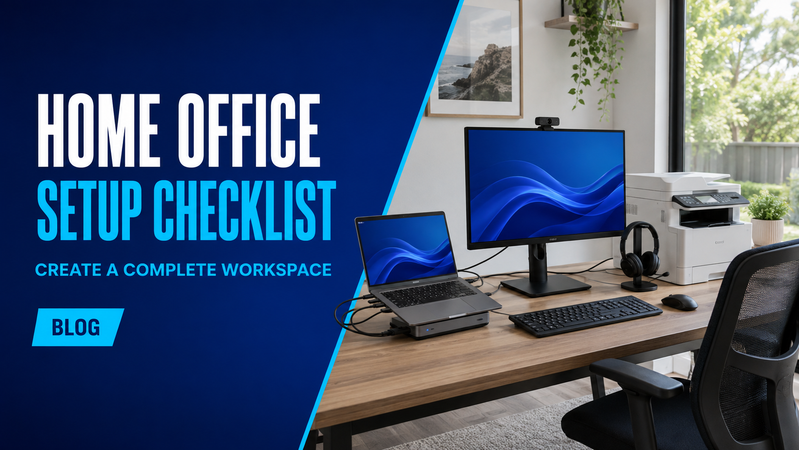
A practical home office should be ready when your working day begins. That means having the right equipment, enough space to use it comfortably and connections that work together.
Whether you work from home every day or divide your time between locations, this checklist will help you plan your setup and find relevant equipment in the Hunter Office Technology shop.
1. Choose your workspace
Before buying equipment, measure the available desk space and consider where everything will sit.
Allow room for your computer, monitors, keyboard and mouse, plus any paperwork you use regularly. Check access to power and the quality of your internet connection in that location.
Think about lighting too. Windows behind your screen can make viewing difficult, while a bright window behind you can affect your appearance on video calls.
If you use an employer-provided computer, check which accessories and connections your organisation supports before ordering.
2. Computer and docking station
A laptop suits people who move between home and the office. A desktop may suit a permanent workspace where portability is unnecessary.
Choose a computer around your applications, storage needs and working arrangements. Browse laptops if you need a portable option.
For a laptop-based workspace, a docking station can simplify connecting monitors, accessories and a wired network. Some docks also charge the laptop through the same connection.
Before purchasing, confirm:
- Compatibility with your laptop and operating system.
- Support for the number and resolution of your monitors.
- The available USB and display connections.
- Charging output suitable for your laptop.
- Whether a power supply is included.
Shop notebook docking stations and check our laptop accessories for additional docking and charging options.
3. External monitor
An external monitor gives you more room for documents, spreadsheets and everyday applications.
One screen may be enough for your work. A second can be useful if you regularly compare information or keep reference material open while working in another application.
Compare screen size, resolution, adjustment options and connections. Make sure your computer or dock supports the intended setup, and check which cables come with the monitor.
If you plan to use a monitor arm, confirm that its mounting pattern and weight capacity suit the screen.
Browse computer monitors for your home workspace.
4. Keyboard and mouse
A separate keyboard and mouse let you position your laptop or monitor independently.
A full-size keyboard with a numeric keypad can be useful for accounting and frequent data entry. A compact layout leaves more space on a smaller desk.
Choose between wired, USB wireless and Bluetooth connections based on your computer’s capabilities and your preferences. For wireless accessories, check battery or charging requirements and whether a USB receiver is needed.
5. Headset and webcam
For regular calls, choose a headset that works with your computer and meeting software. Consider microphone features, comfort and whether a wired or wireless connection suits your routine.
Browse headsets for calls and online meetings.
Your laptop’s camera may be sufficient, but an external webcam gives you more flexibility when the laptop is closed or positioned beside your main screen.
Explore webcams and check mounting options, connection requirements and field of view.
Once connected, make a test call to check your camera position, lighting, microphone and speakers.
6. Printing and scanning
Not every home office needs a printer. Start with the documents you actually handle and how often you need a physical copy.
If a home printer would be useful, consider:
- Mono or colour printing.
- Expected print volume.
- Scanning and copying requirements.
- Automatic double-sided printing.
- A document feeder for multipage scanning.
- Replacement ink or toner costs.
- Space for paper loading and access.
Check double-sided printing and double-sided scanning separately, as they are different features.
Browse printers and scanners to compare equipment suited to your workload.
7. Internet and network connections
Test your internet connection where you intend to work, including during a video call.
If coverage is poor, discuss whether router placement, a wired connection or additional wireless equipment would help. Check compatibility with your existing network before adding devices.
Explore networking products for routers, mesh systems, access points and other connection options.
For employer-managed equipment, have your IT team arrange the approved access to business applications and files.
8. Power, cables and chargers
Count every device that needs power and check the cable routes before setting up your desk.
You may need a compatible laptop charger, monitor cables, a network cable or adaptors. Check each product’s included accessories rather than assuming every cable will be supplied.
Browse cables and electrical accessories to complete the connections.
If you need temporary battery support during an outage, discuss a suitable UPS with your IT provider. Its capacity and runtime need to match the connected equipment.
Explore power equipment, including UPS systems and surge protection.
Final home-office checklist
Before your first working day, confirm that:
- Your computer and accessories connect correctly.
- The laptop charges while using the dock.
- All monitors work at the intended resolution.
- Your keyboard, mouse, headset and webcam are ready.
- Internet access is reliable at the desk.
- Required applications and files are accessible.
- Printing and scanning work where needed.
- Cables are organised and equipment fits the available space.
Complete your home workspace
Choosing your computer, dock, monitors and accessories together makes it easier to check compatibility before purchasing.
Browse the Hunter Office Technology shop or contact our team for help selecting equipment for your home office.